
Coming soon to iPhone and iPad
The dahlia grower’s field companion.
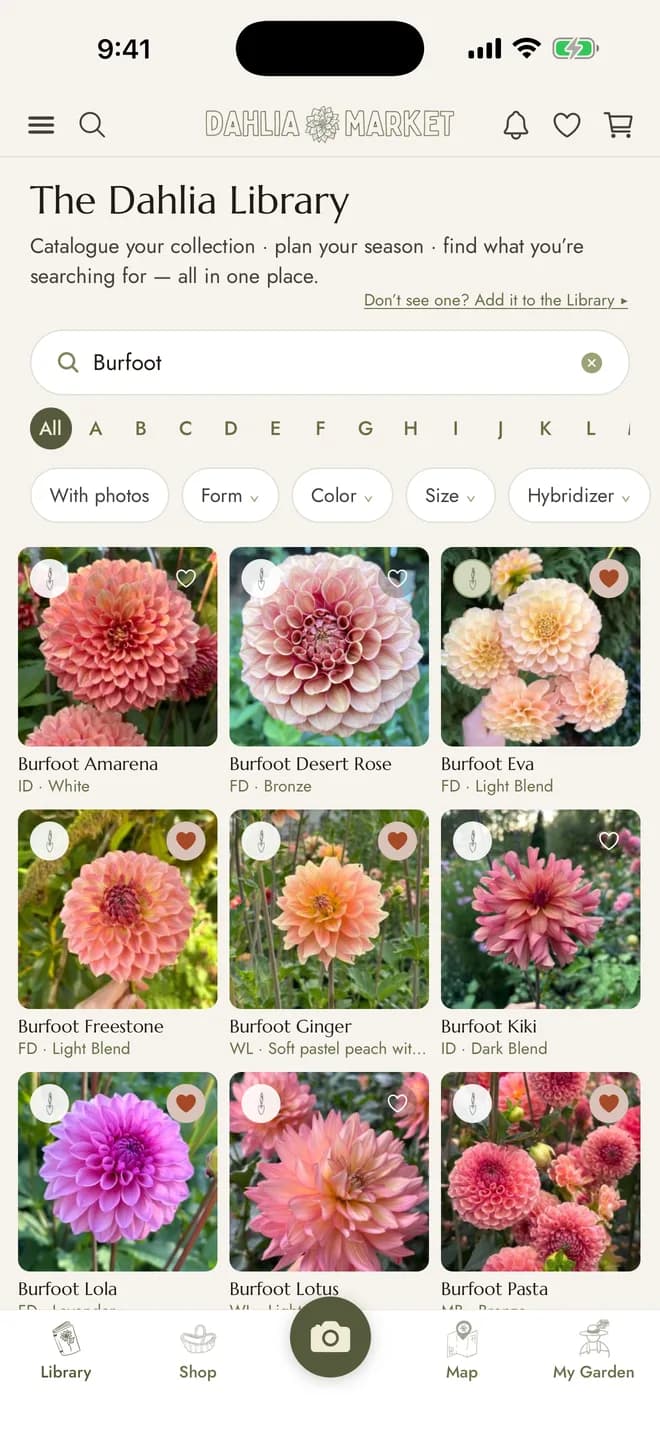
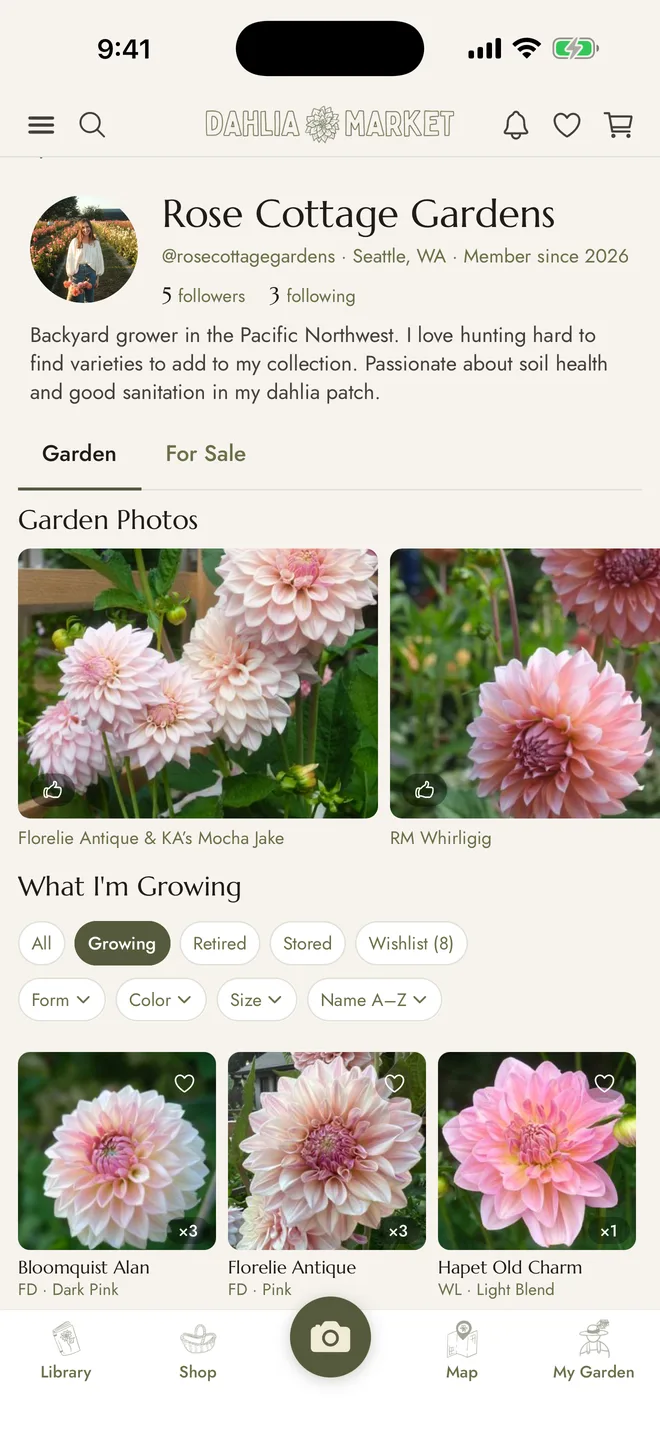
Your whole collection in your pocket, alongside 8,000+ varieties to search. Catalogue a new dahlia, add a bloom, or check what’s planted where, in a few taps without leaving the garden. Keep a wishlist of the ones you’re still hunting for, and hear about them the moment another grower lists one in the marketplace.
In the field
Look up varieties, catalogue your collection, and photograph your blooms, all while standing in your garden.
Your garden
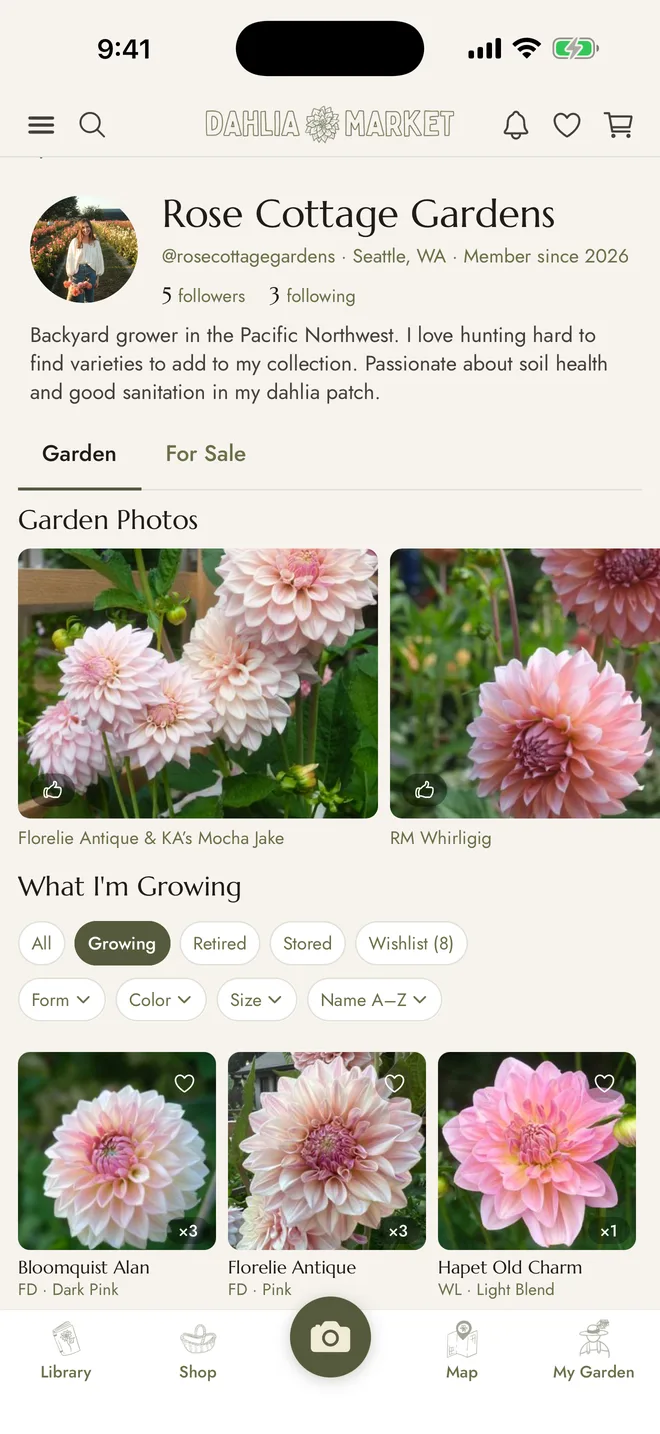
Everything you've catalogued on the website is already there. Same garden, same wishlist, same notes.
The Library
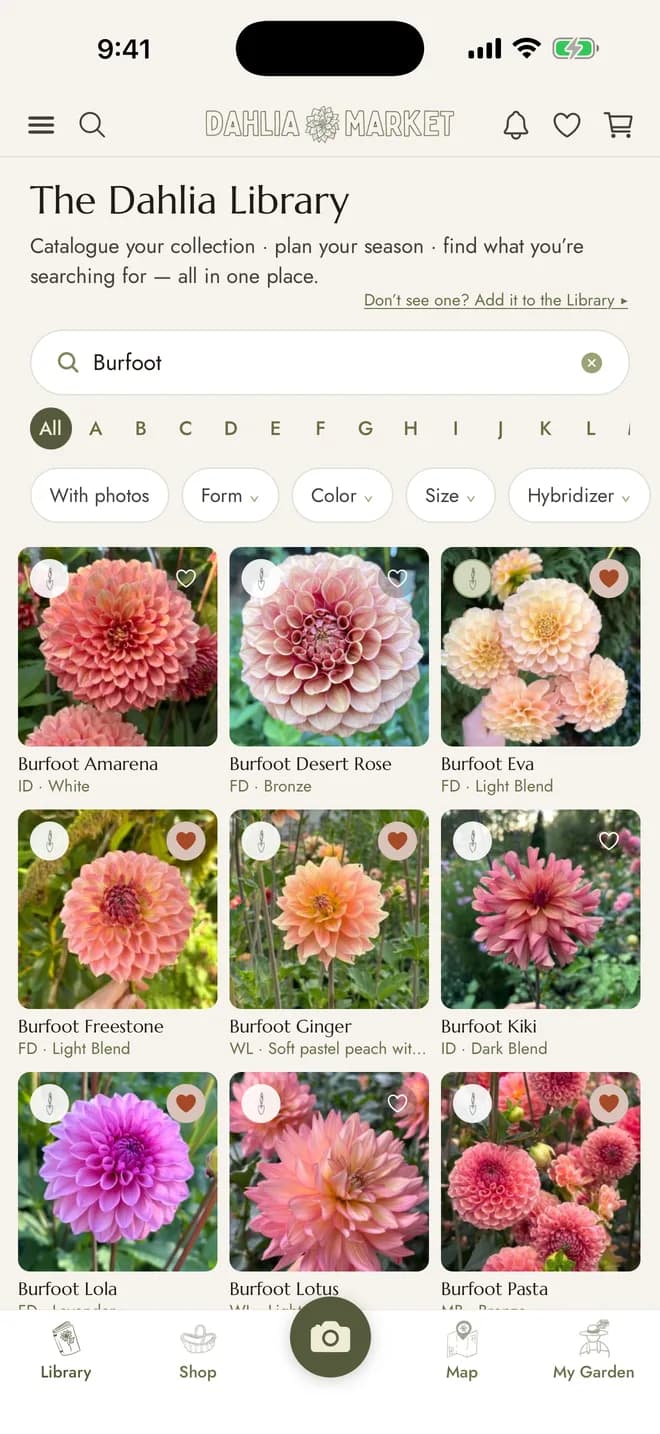
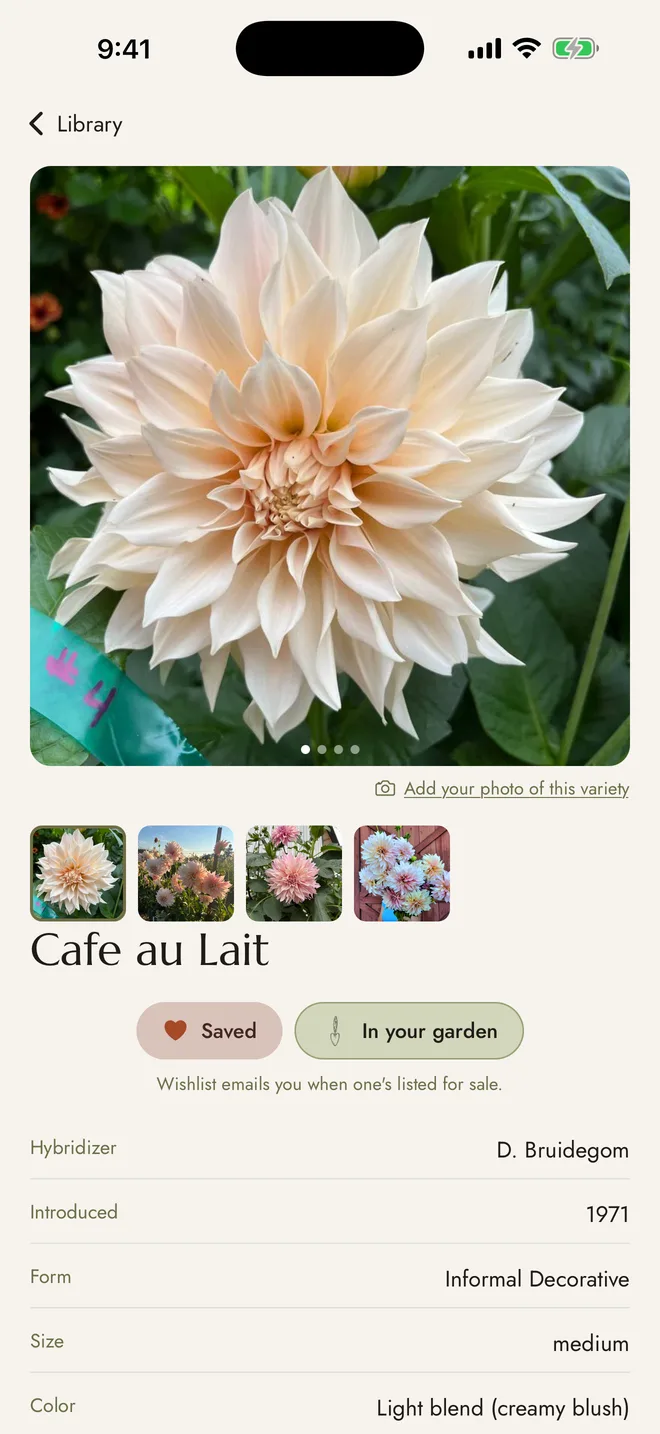
8,000+ varieties in your pocket, with photos growers took themselves.
Marketplace
Browse what other growers have listed, and list your own extras without going back to a desk.
A look inside
How growers use it
Take the photo where the flower is
Photograph and catalogue your dahlias while you're standing in your garden. Choose to add to the Library or to your personal garden gallery.
Visualize your garden with Garden Map
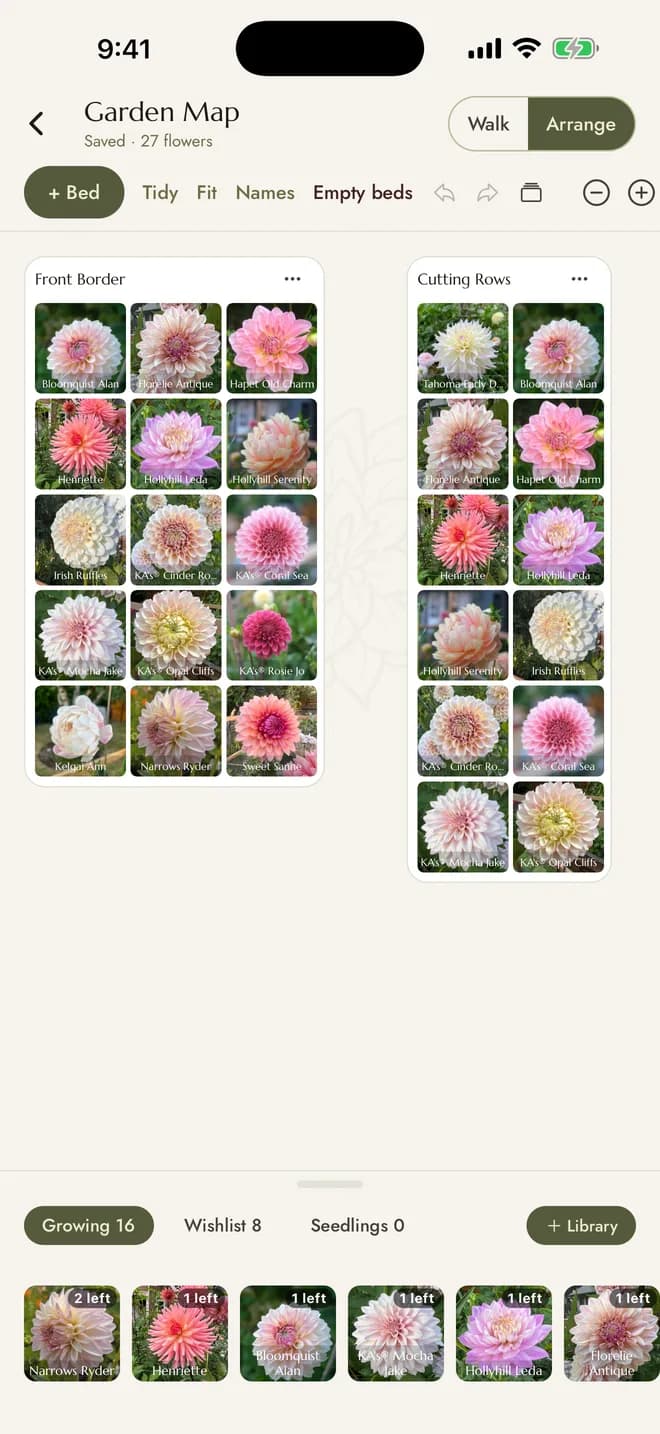
Your beds, drawn to scale and filled from the varieties you actually grow. Tap and place to lay them out, drag a whole bed to move it, and pinch to zoom the way you would a map. In Walk mode, a tap on any bloom opens that variety in the Library, with its form, color, hybridizer, and photos from other growers.
Log the season as it happens
Cuttings taken, rooted, planted. Tubers lifted and stored. Logged in the garden rather than remembered until evening. It adds up to bloom analytics across your seasons, and the whole record downloads as one Excel file whenever you want it. Your first 20 seedlings are free; Garden+ removes the limit and adds tuber and cutting tracking.
Pick up on the website
It's one account and one garden. The app is for the work you do outside; the website is for the longer sit-down work like bulk imports and printing your planting list.
App FAQs
What does the app cost?
The app is free, and so is the account. Garden+ is optional, at $39 a year or $5 a month, and adds tuber and cutting tracking plus an unlimited Garden Map. See what Garden+ includes.
Do I need the app to use Dahlia Market?
No. Everything works in a browser on your phone or computer. The app is simply quicker to reach for when you're already outside with your hands in the dirt.
Is my garden the same in both places?
Yes. One account, one garden. Add a variety on your phone and it's on the website when you sit down, and the other way around.
Is there an Android version?
It's in progress. The app is built to run on both, and Android will follow once it has been through the same testing.
What can't the app do yet?
The longer sit-down jobs stay on the website for now: bulk CSV imports, printing a planting list, the forum, and the Field Guide. The app is deliberately focused on what you need while you're actually in the garden. Browse the website.
From one garden to the next.
Free to download, free to use. Garden+ is optional at $39 a year or $5 a month.